

Worship without limits
making slide preparation effortless,
so the flow of worship is never limited by technology.

At a glance
Our promises
Projection must work offline
Never interrupts the service
Core features are free
Features
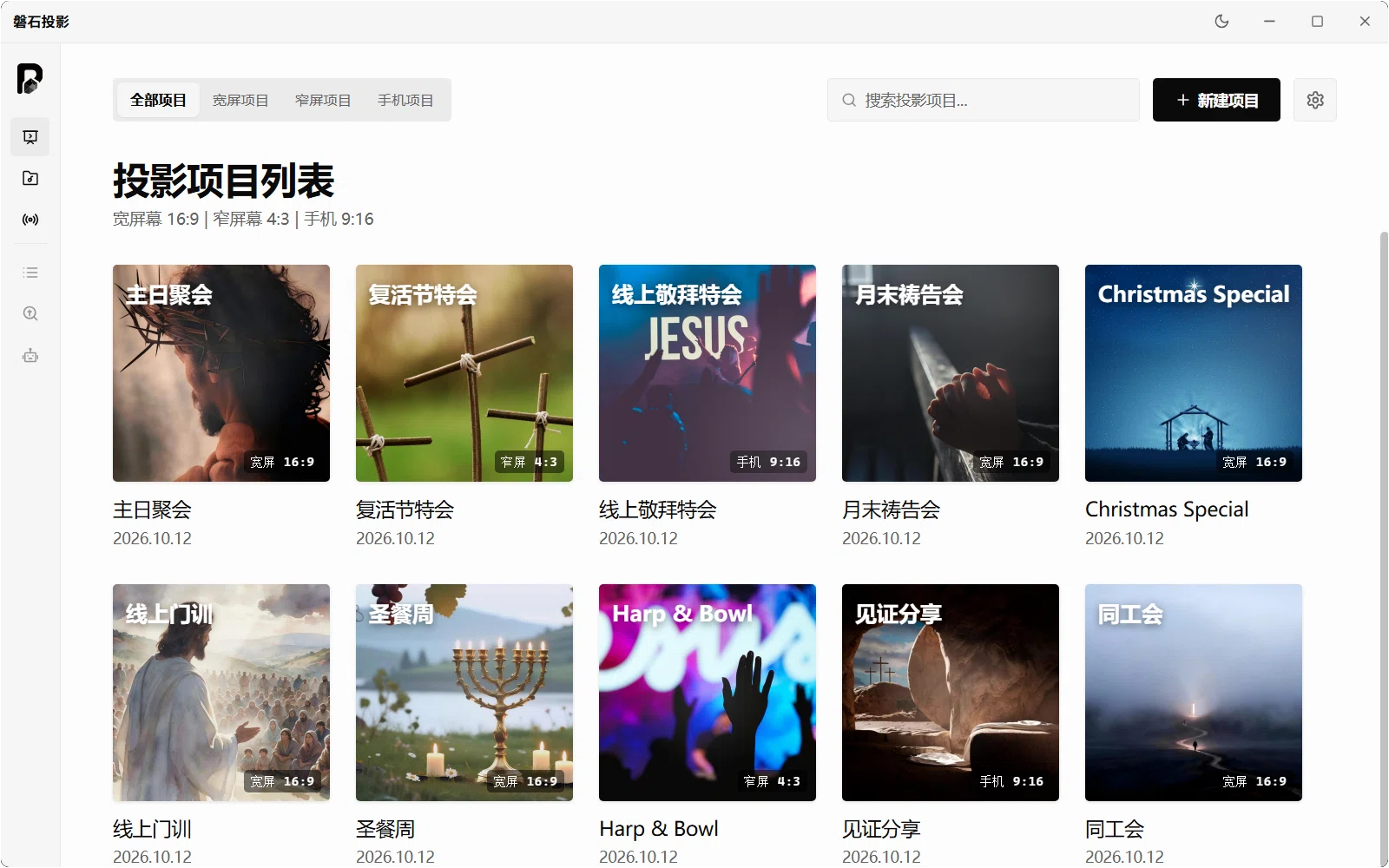
Beautiful built-in backgrounds
Static and motion backgrounds work out of the box — hover to preview motion effects and set the atmosphere in one step.
Virtual camera and NDI
Two streaming modes — virtual camera and NDI — for Tencent Meeting, Zoom, DingTalk, Teams and broadcast software.
Widescreen, standard, portrait
Switch between 16:9, 4:3 and 9:16 at will; projection output is separate from the preview, so any screen is covered.
A rich built-in hymn library
Tens of thousands of hymns built in, searchable by title or lyrics in seconds, with simplified/traditional pairing your team can extend.
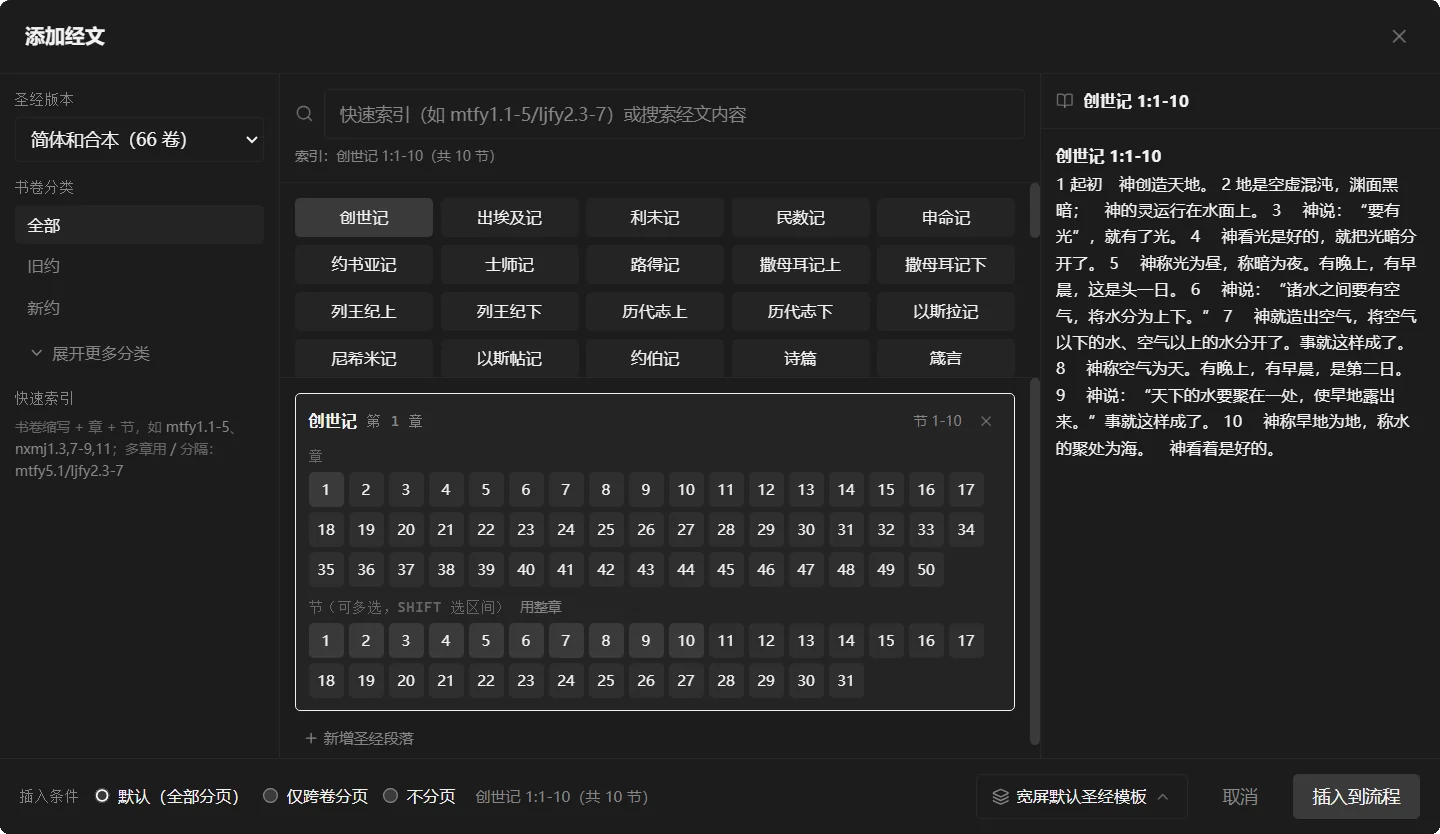
A built-in Bible tool
All 66 books of the Chinese Union Version built in — jump by book, chapter or verse and insert the passage into the flow.
Online updates
Checks, prompts and installs updates inside the app; silently skipped when no update source is configured.
SHOWCASE
Open PETRA and the service is ready
From building a project to picking songs, looking up Scripture and streaming live — every screen is something you actually use on a Sunday.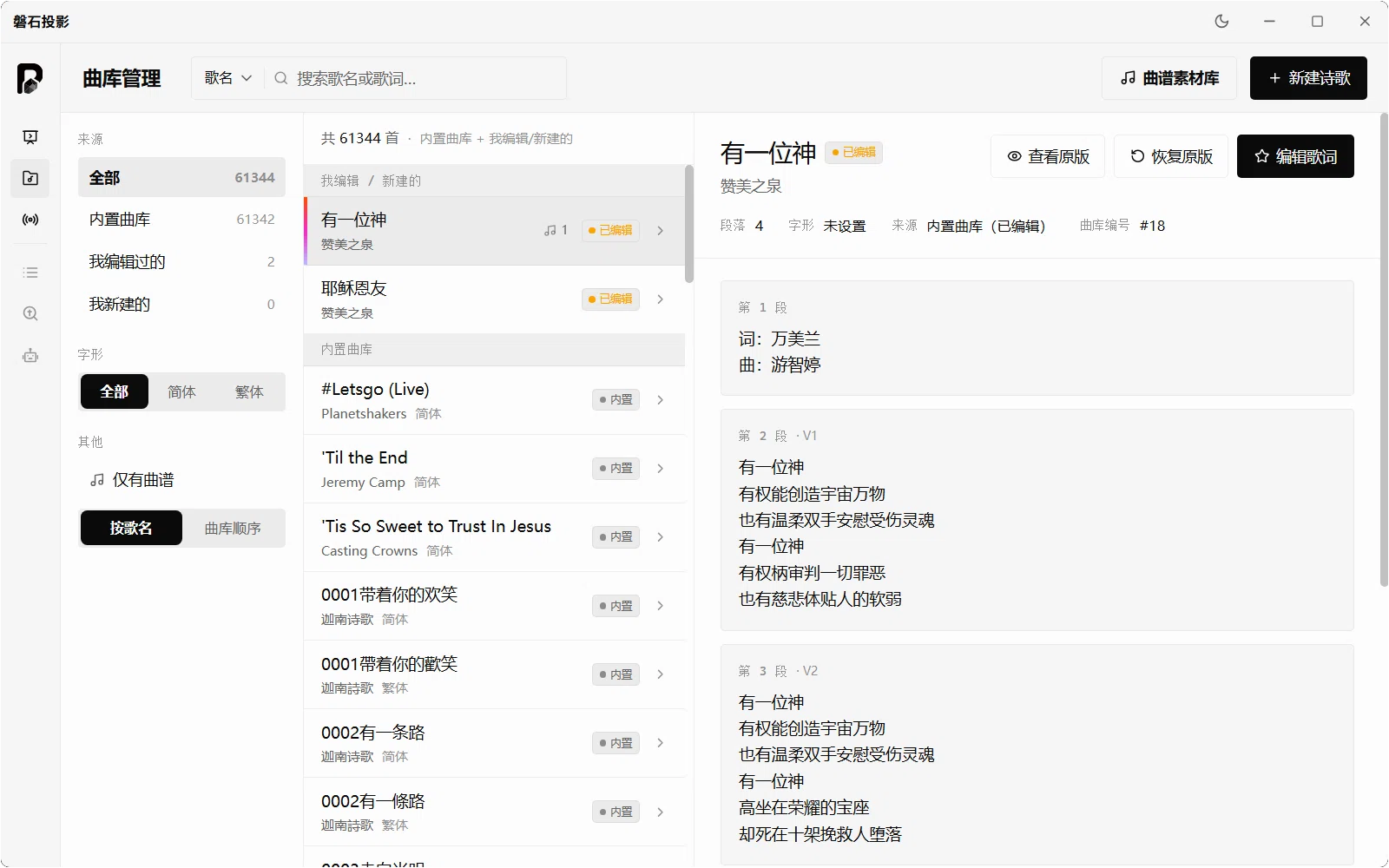

A rich built-in hymn library
Over 60,000 hymns ready to use: search by title or lyrics in seconds, with simplified/traditional pairing. Songs your team writes or adapts are available immediately. Search · Simplified/traditional · Your own songsA built-in Bible tool
The 66 books of the simplified Chinese Union Version are built in, indexed by book, chapter and verse. Select a passage and insert it into the flow — no more flipping through a printed Bible during the reading. 66 books · Fast lookup · Insert in one tap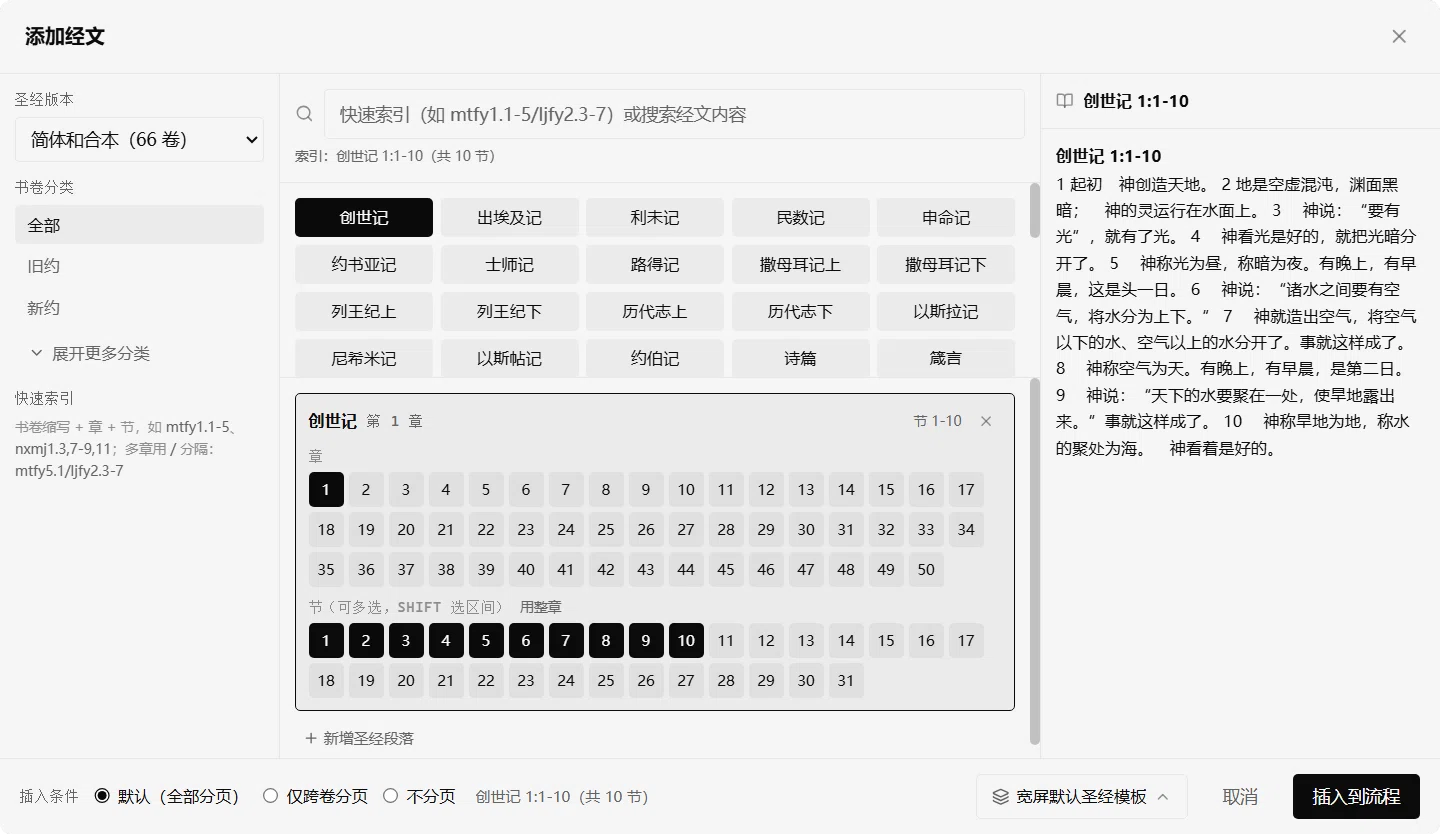
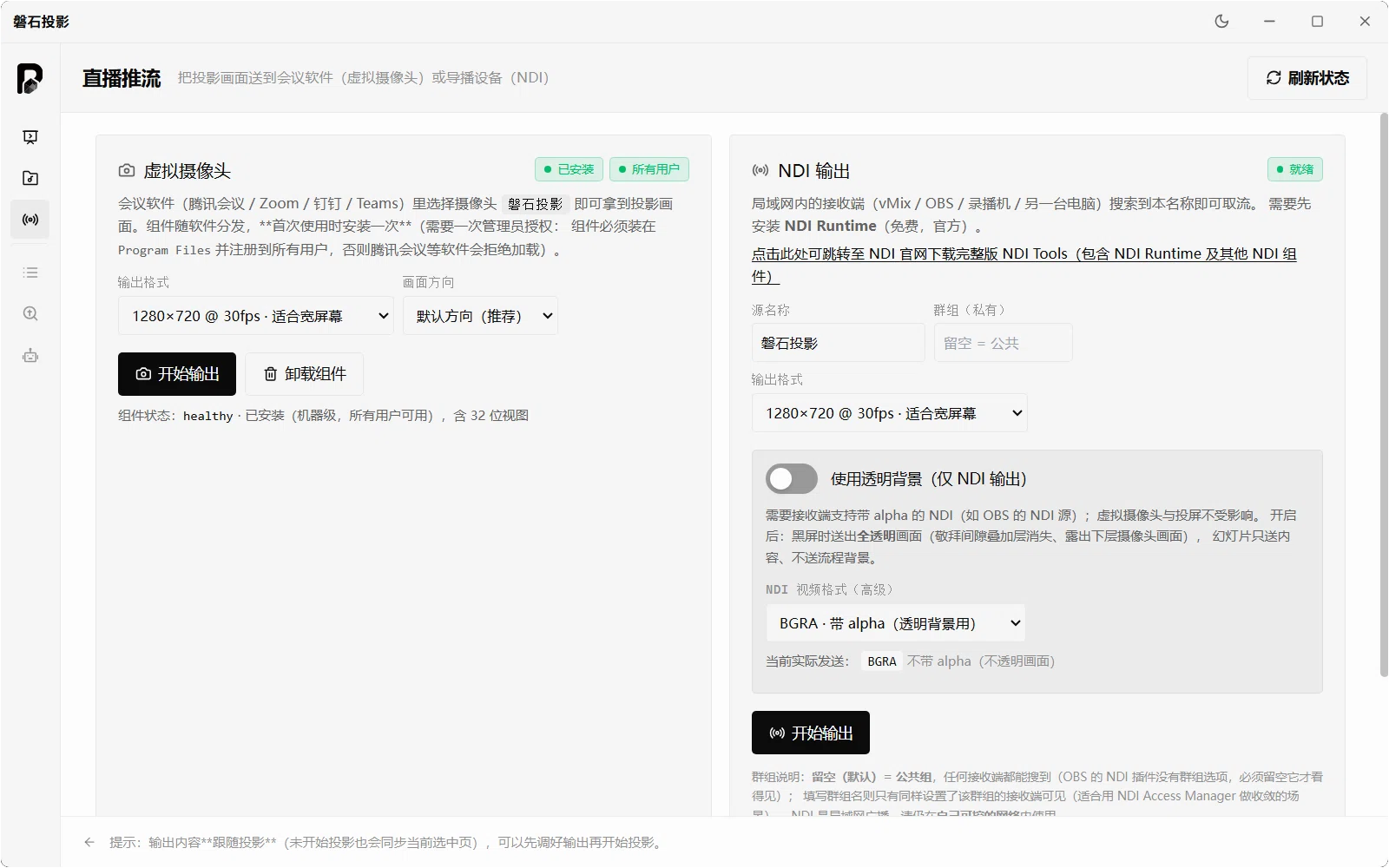

Streaming that keeps the room and the internet in sync
The virtual camera shows up in Tencent Meeting, Zoom, DingTalk and Teams; NDI output feeds vMix, OBS and other switchers — the room and the online congregation see the same picture. Virtual camera · NDI · Meetings and switchersPick a song, insert it, done
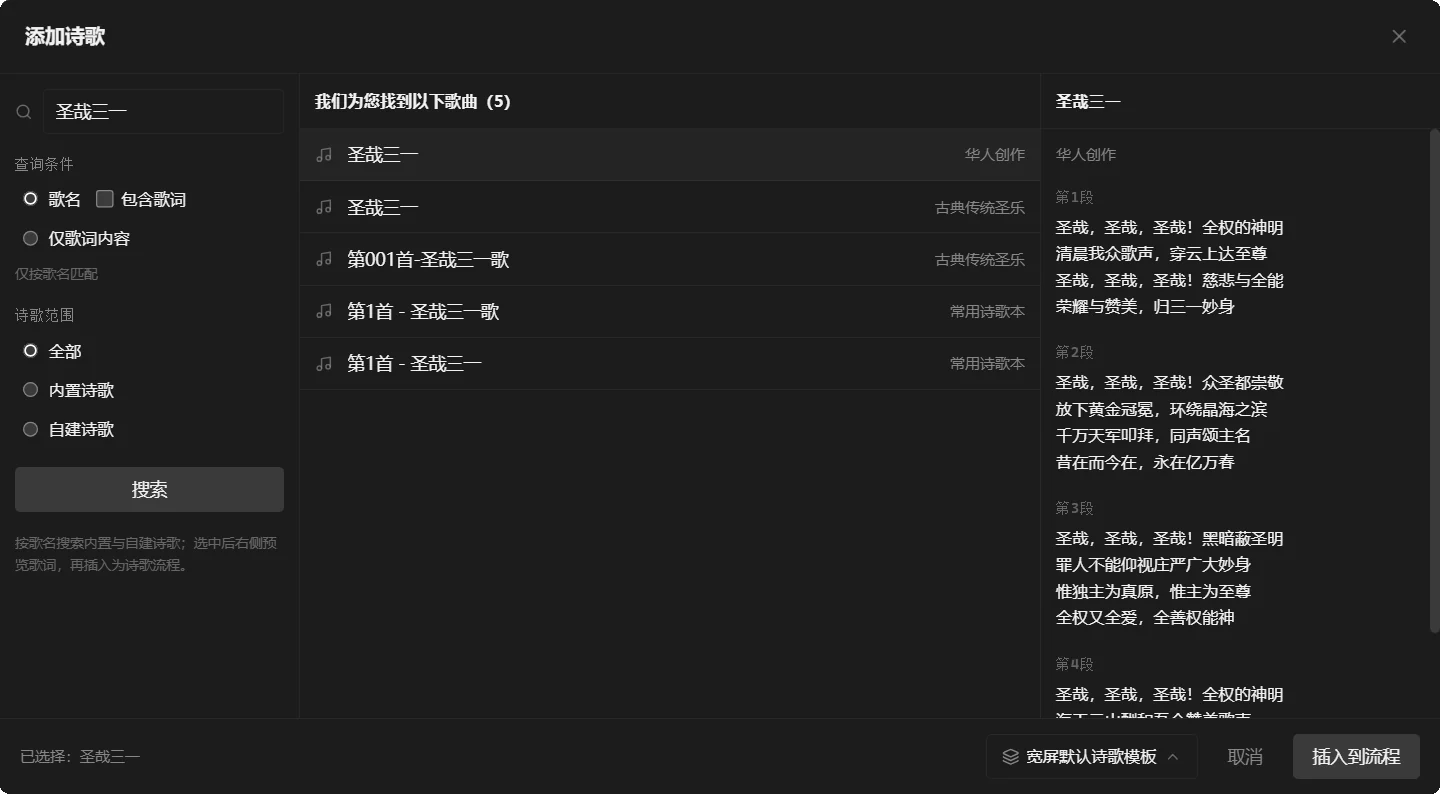
Search built-in and your own songs by title, preview the full lyrics on the right, then insert the song into the flow — a few steps from finding a hymn to putting it on screen. Search · Preview · Insert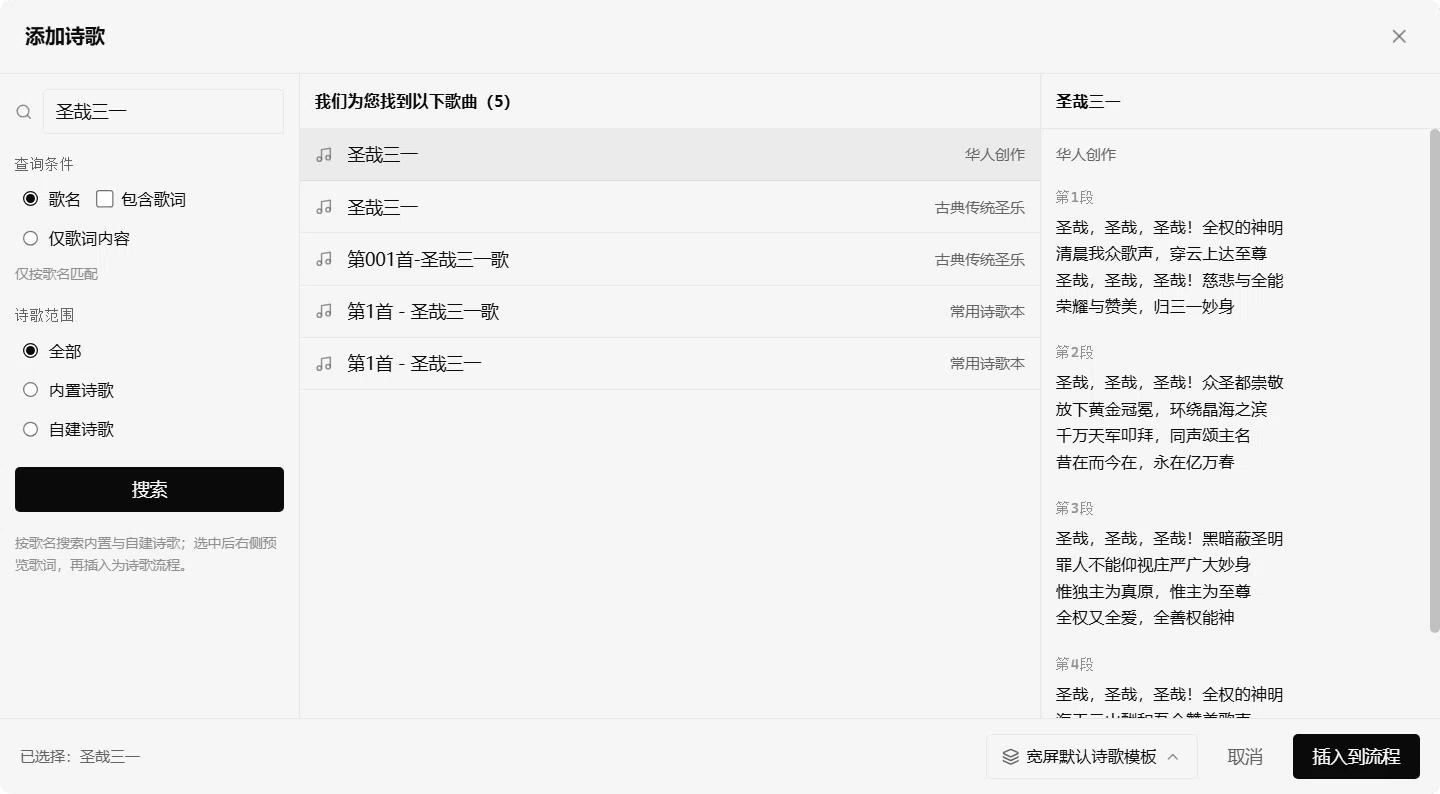
Made for these gatherings
Worship lyrics, the Scripture reading and sermon slides advance in one flow; output and preview are split so each volunteer knows their job.
Songs, harmonies and media switch with the rhythm of worship; singers and musicians stay in step and nothing drops.
Quiet gatherings with minimal, unhurried lyrics that stay out of the way and a stable screen through long sessions.
Virtual camera and NDI feed your meeting or broadcast software, keeping the room and the online congregation on the same picture.
Christmas, Easter and other seasons: festive backgrounds and songs are ready out of the box, so decorating takes minutes.
Course slides and team training go straight on screen, fully offline with no dependence on the venue's Wi-Fi.
Subscription pricing
Free
Core projection freeCore projection features and everyday assets — enough for individuals and small gatherings.
- Core projection features
- Built-in hymn library
- Built-in Bible library
- Solid-color and image backgrounds
Pro
Limited-time freeAdds media and streaming, so Sunday morning and the online congregation are covered.
- Everything in Free
- Up to 3 devices
- Video backgrounds
- Audio and video file playback
- PPT import (.ppt / .pptx)
- Widgets: graphics · clock · countdown
- Multiple polished transitions
- Virtual camera output
- NDI output
Max
Coming soonFor more advanced services; availability will be announced.
- Everything in Pro
- More advanced and cloud features
- Not available yet — stay tuned
Developer: Threshing Floor of City (TFoC)
PETRA is developed and maintained by Threshing Floor of City (TFoC). For positioning, release policy and contact details, see the About page.
More about PETRA
Download and verify
Installer details, three ways to verify SHA-256, and how to get past SmartScreen.
Learn moreChangelog
New features, fixes and known issues for each version; version numbers map to git tags.
Learn more
About and contact
What PETRA is for, how we handle privacy, and how to reach the developer.
Learn more